Welcome to GotHired.ai!
We're thrilled to have you on board! This guide will help you make the most of our platform's powerful features so you can focus on what matters most – getting hired.
Getting Started
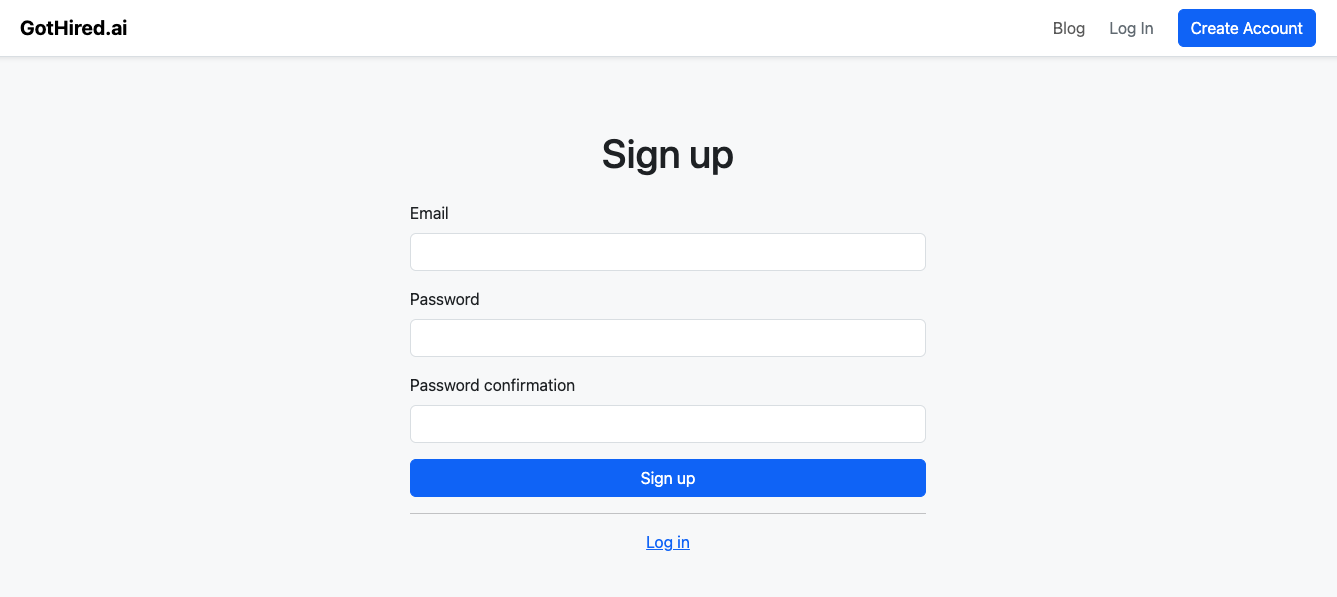
Your journey begins here! Creating an account unlocks all the tools you need for a smarter job search.
Here's how to sign up:
- Go to our Sign-Up Page
- Fill in your details (like name and email) and choose a secure password.
- Look for a confirmation email from us in your inbox. Click the link inside to verify your account – and you're in!
Make Your Profile Shine
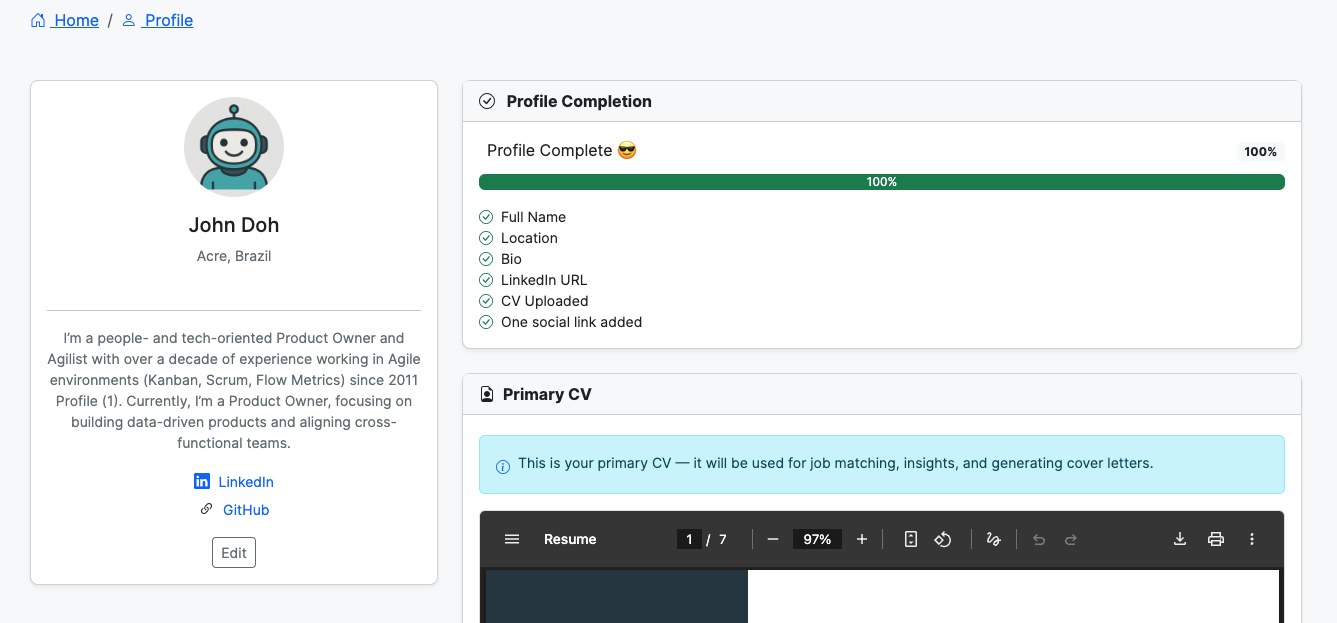
Your CV (or resume) is key! Uploading it allows our AI to help you find the best job matches.
Ready to upload?
- Once you're logged in, head to your Profile Page
- Click the "Upload CV" button.
- Select your CV file from your computer.
Track Opportunities
Found a job you like? Add it to GotHired.ai and get instant AI analysis.
How to analyze a job:
- Go to your Matches page and click "Analyze New Job".
- Use Smart Paste — copy the entire job posting from any website and paste it into the text area. We'll extract the title, company, location, and description automatically.
- Click "Analyze" and our AI will score your fit, generate a cover letter, and more.
Smart Insights
Once you've analyzed a job, GotHired.ai gives you a full breakdown across multiple tabs:
Match
Your match score, strengths, gaps, and keyword analysis against the job description.
Cover Letter
A personalized cover letter you can download as PDF, DOCX, or TXT.
Tailored CV Pro
A job-specific CV with rewritten summary, experience, and skills — download as PDF, DOCX, or TXT.
Interview Prep Pro
AI-generated interview questions with suggested answers based on your CV and the role.
Company Insights Pro
Real-time research on the company — culture, recent news, interview tips, and more.
Notes
Add personal notes and reminders to each application as you progress.
Job Status
Simple Status Tracking
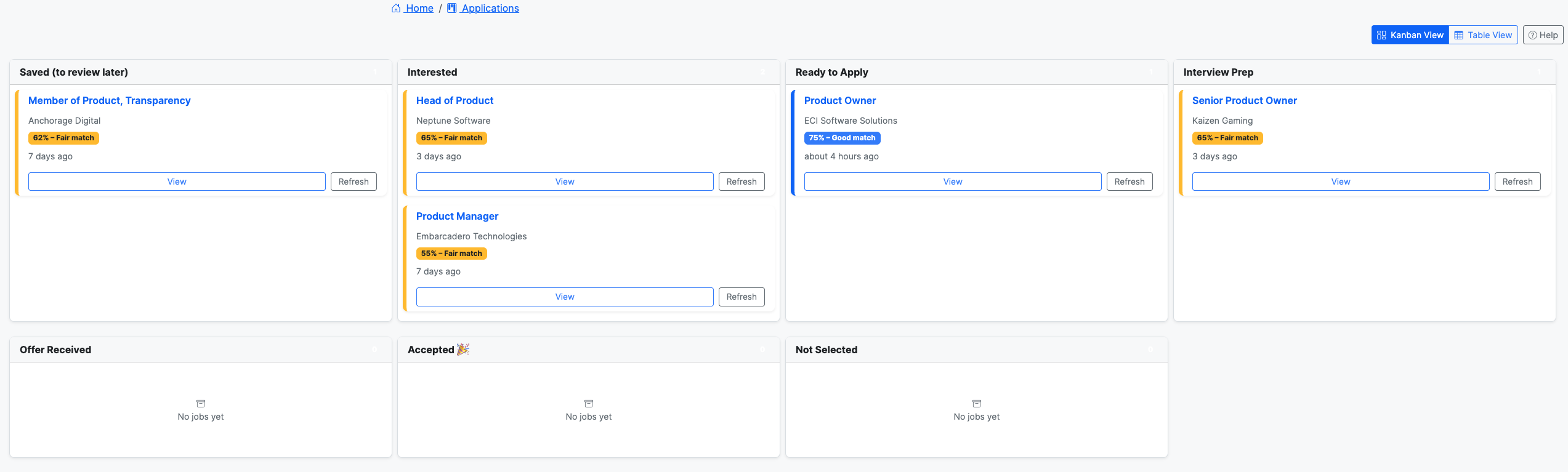
Track your job applications with three simple statuses:
Saved Applied Archived
- Saved New matches start here. Review your AI analysis — match score, cover letter, interview prep, and company insights are all ready.
- Applied Mark jobs as Applied once you've submitted your application.
- Archived Move jobs here when they're no longer active — whether you got the job, decided to pass, or didn't get selected.
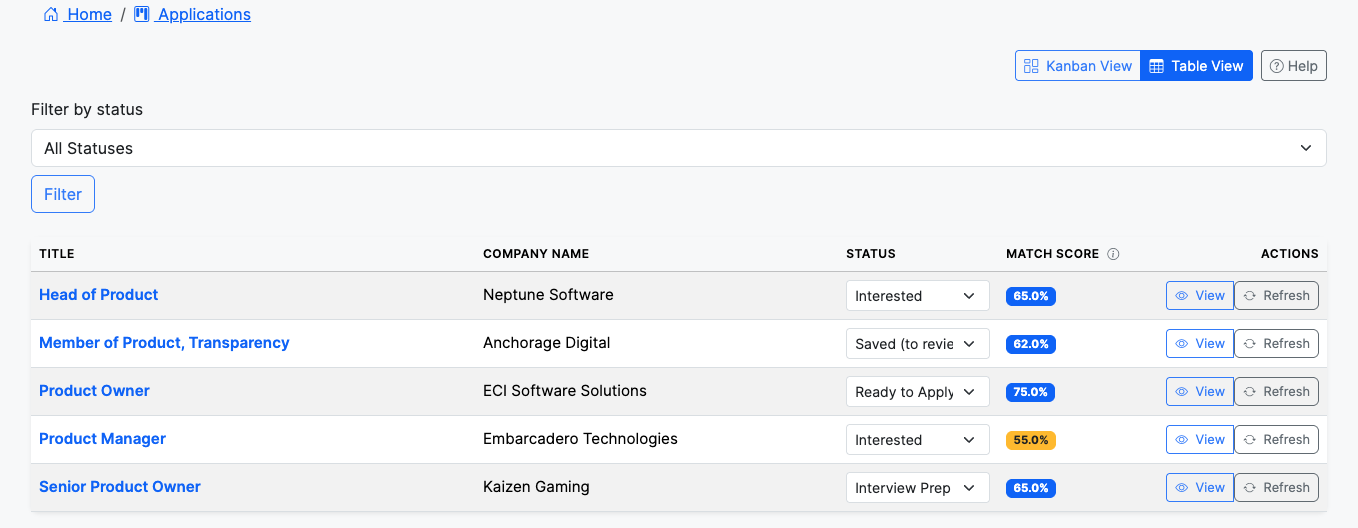
How to update a status:
- Go to your Match Tracker.
- Select the specific match you want to update.
- Choose the next appropriate status from the dropdown.

AI Features
GotHired.ai uses AI to analyze every job you add. Features are available based on your plan:
| Feature | Free | Pro |
|---|---|---|
| Match Score | ||
| Cover Letter | ||
| Notes | ||
| Tailored CV | ||
| Company Insights | ||
| Interview Prep |
Unlock More Power
Ready to take your job search to the next level? Our Pro plan offers advanced features and insights.
How to upgrade:
- Visit our Plans & Pricing Page to see what's on offer.
- Choose the plan that best fits your job search needs and goals.
- Enter your payment details securely and confirm your upgrade.
Keep Your Account Secure
It's good practice to update your password periodically.
How to change your password:
- Go to your Account Settings.
- Look for and click on "Change Password."
- Enter your current password first.
- Then, type in your new password, and confirm it by typing it again.
- Click "Save Changes," and you're all set!
Need Help?
If you run into any issues, have questions, or just need a bit of guidance, we're ready to assist.
- Reach out to our friendly support team directly at support@gothired.ai.
We're committed to helping you succeed with GotHired.ai. Happy job hunting!